

The engineering guide · DXonJet VPJet4.0
What makes a wall printer reliable in the real world?
Stability, motion control, Epson inkjet technology, UV curing, software and responsive support work together. This is an engineering-led look at the DXonJet VPJet4.0 — including newer StabiArm and helical rack innovations.

01 / Engineering philosophy
Look beyond a wall printer's specification sheet.
Two wall printers can list similar printheads, resolution and claimed speeds. Yet the results can differ once they are assembled, transported, calibrated and used for demanding customer jobs.
A professional UV wall printer is a complete electromechanical inkjet system. The chassis has to move consistently; the printhead needs predictable jetting and a stable ink supply; the wall distance must be controlled; and the software must coordinate every stage. Reliability is the result of how those subsystems work together, not just the specification of any individual part.
DXonJet's VPJet4.0 was designed around three priorities: mechanical stability, dependable operation and serviceable construction. This guide examines the choices behind those priorities, and the practical limitations an operator should understand.
For a broader industry discussion, see The Spec Sheet Lie and why building an ideal wall printer is so challenging.
02 / Mechanical architecture
Base, four-wheel drive and horizontal tracks
Start with a solid foundation
Wall printing requires accurate movement while the printhead is suspended on a tall frame. The VPJet4.0 uses a machined solid-aluminum base plate that weighs 29.5 kg, helping establish a stable center of gravity. Mounting holes are machined into the plate to make assembly and positioning repeatable.
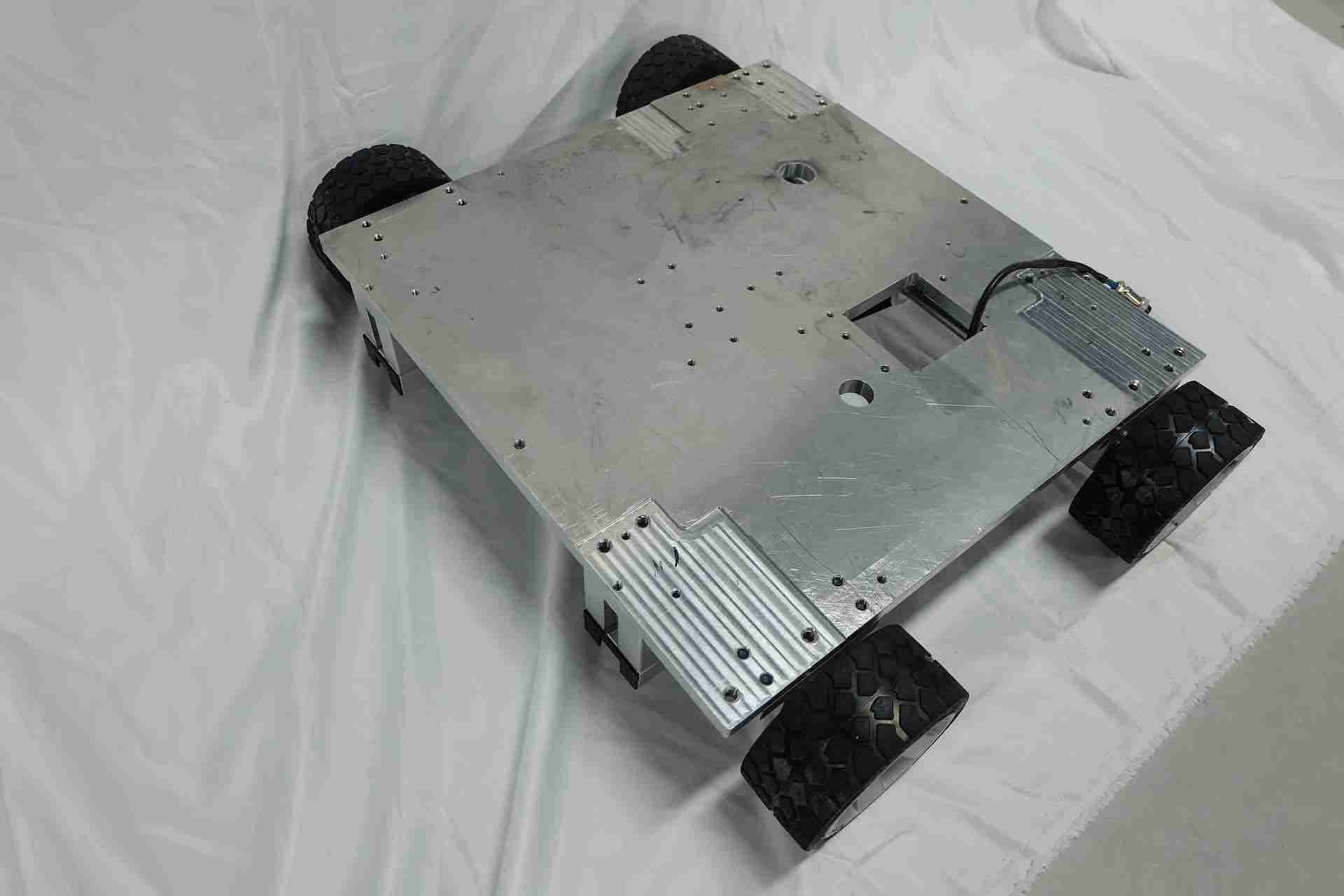
The four-wheel drive system powers all four wheels together. Instead of leaving the printer's movement to passive wheels, the drivetrain is designed to reduce differences in motion between the wheels and help prevent movement-induced image defects. For the reasoning behind this choice, read DXonJet's wheel-drive engineering discussion.
When horizontal track guidance matters
In track mode, the printer uses the precision horizontal rail mechanism rather than relying on the wheel-drive system for horizontal travel. This is useful when a long, straight path and fine leveling are important. Adjustable supports and leveling components help the operator set up the track on floors that are not perfectly even.
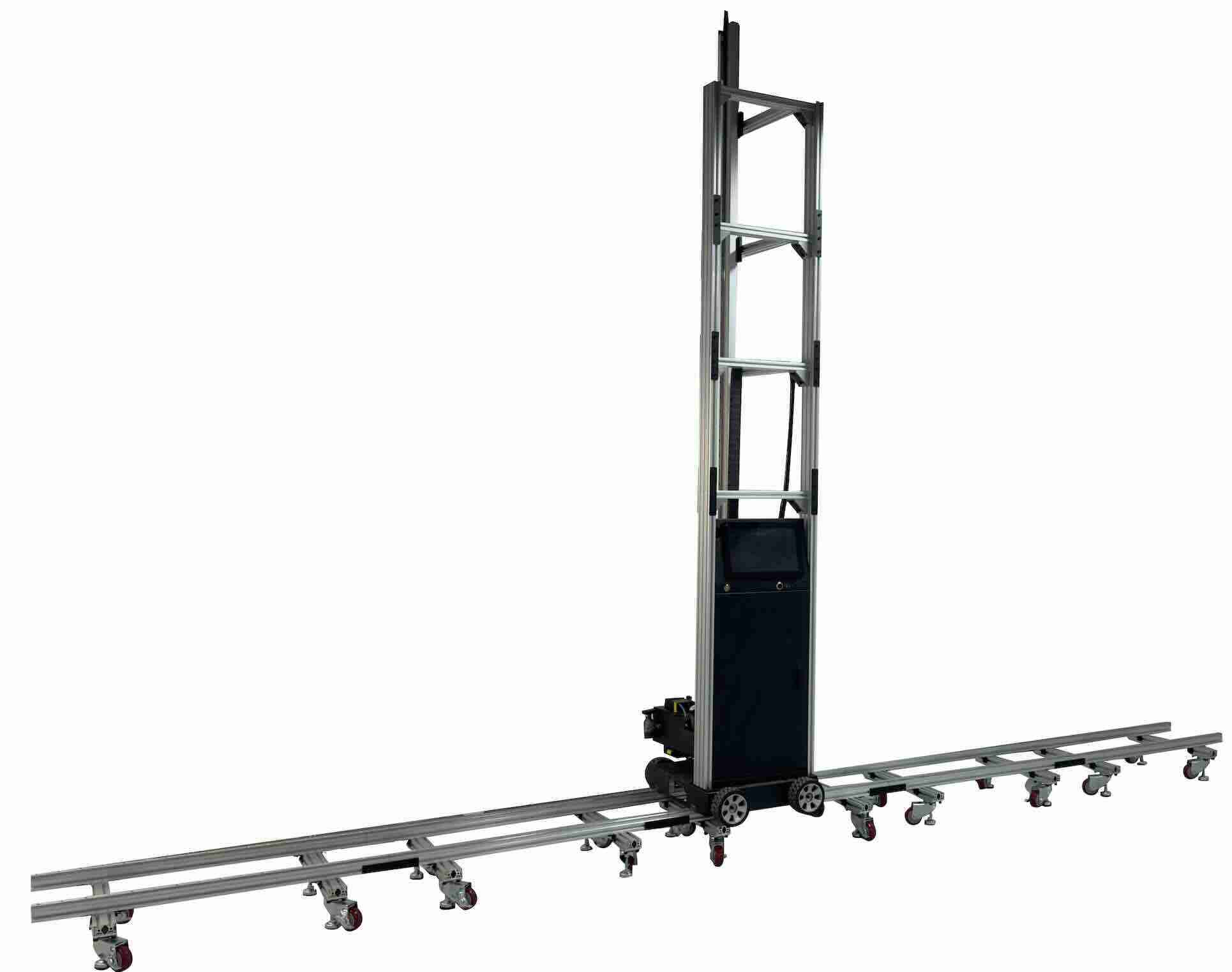
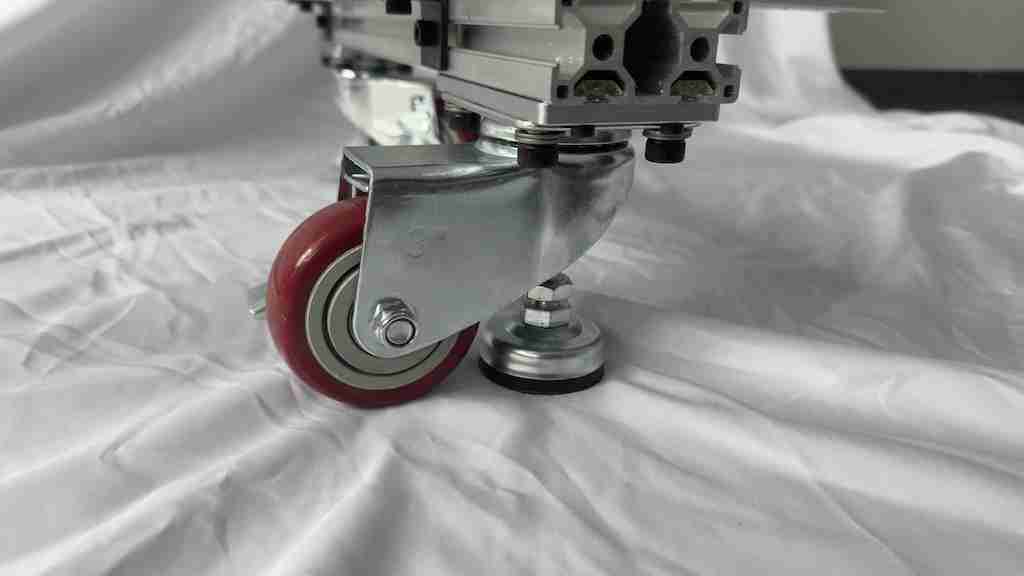
What buyers should ask: Which movement mode is supplied, which scenarios benefit from track guidance, and how much setup and leveling work is required for the wall and floor at the actual site?
03 / Working at height
Modular vertical rails and precise joints
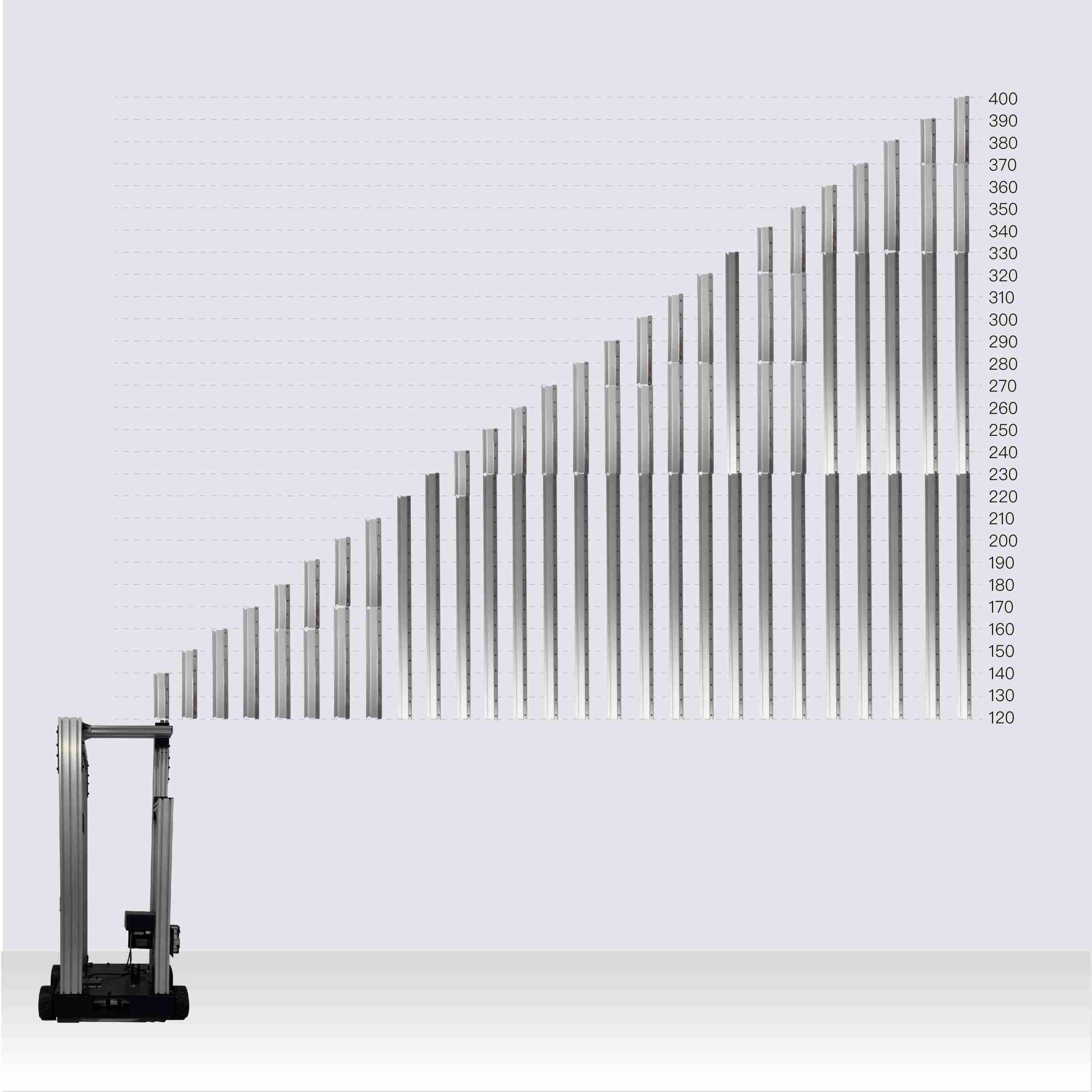
The vertical rail controls the printhead's up-and-down travel and therefore sets the usable print height. Long, one-piece rails are inconvenient to ship and transport, so DXonJet uses a modular extension system with rail sections from 20 to 110 cm. The original VPJet4.0 engineering guide describes machine-height configurations from 140 to 400 cm in 10-cm increments.
Its published geometry includes approximately 25 cm of clearance at the top and 36 cm at the bottom of the printable area. Actual placement should be checked against the installed configuration and job-site clearances; machine height is not the same thing as printable image height.
Why rail-joint precision affects the print
At the point where two rail segments meet, even a small discontinuity can disturb the moving carriage. DXonJet describes earlier prototypes that made noticeable noise as the carriage crossed the joint; the solution was more precise machining and better fitting of the modular components.

The engineering objective is not simply to maximize height: it is to preserve smooth travel, correct alignment and print registration after the machine has been repeatedly assembled and moved.
04 / Precision motion upgrade
Helical rack & pinion: the next step in vertical motion
DXonJet introduced an optional helical rack-and-pinion system after testing multiple mechanical transmission options. Unlike a conventional belt-driven arrangement, the rack uses precisely formed gear teeth to transmit vertical motion directly through a pinion. Angled helical teeth engage progressively, helping produce smoother, quieter motion under suitable installation and operating conditions.


Its practical value is clearest in extended-height printing, where motion smoothness and the quality of joints matter. However, no transmission type eliminates the need for accurate assembly, routine inspection or calibration.
Configuration note: The helical rack is described by DXonJet as an upgrade for existing owners and an option for new orders. Verify inclusion in the specific quotation; do not assume every VPJet4.0 includes it as standard equipment.
See the full helical rack technical explanation, additional photos and installation information →
05 / A DXonJet-developed stabilizer
StabiArm: controlled support for tall wall printing
As the printhead travels high above the base, small movements in the vertical structure can become more noticeable. StabiArm was designed to add controlled mechanical support near the upper part of the system, helping steady the rail at high print positions.
StabiArm's precision-machined aluminum body holds a wall-contact roller and a selected spring. The rolling contact supports movement alongside the wall while the spring allows compliance rather than applying an inflexible load to the surface. Its three adjustment positions let operators adapt the mechanism to different conditions, with a mechanical allowance for changes in wall distance.
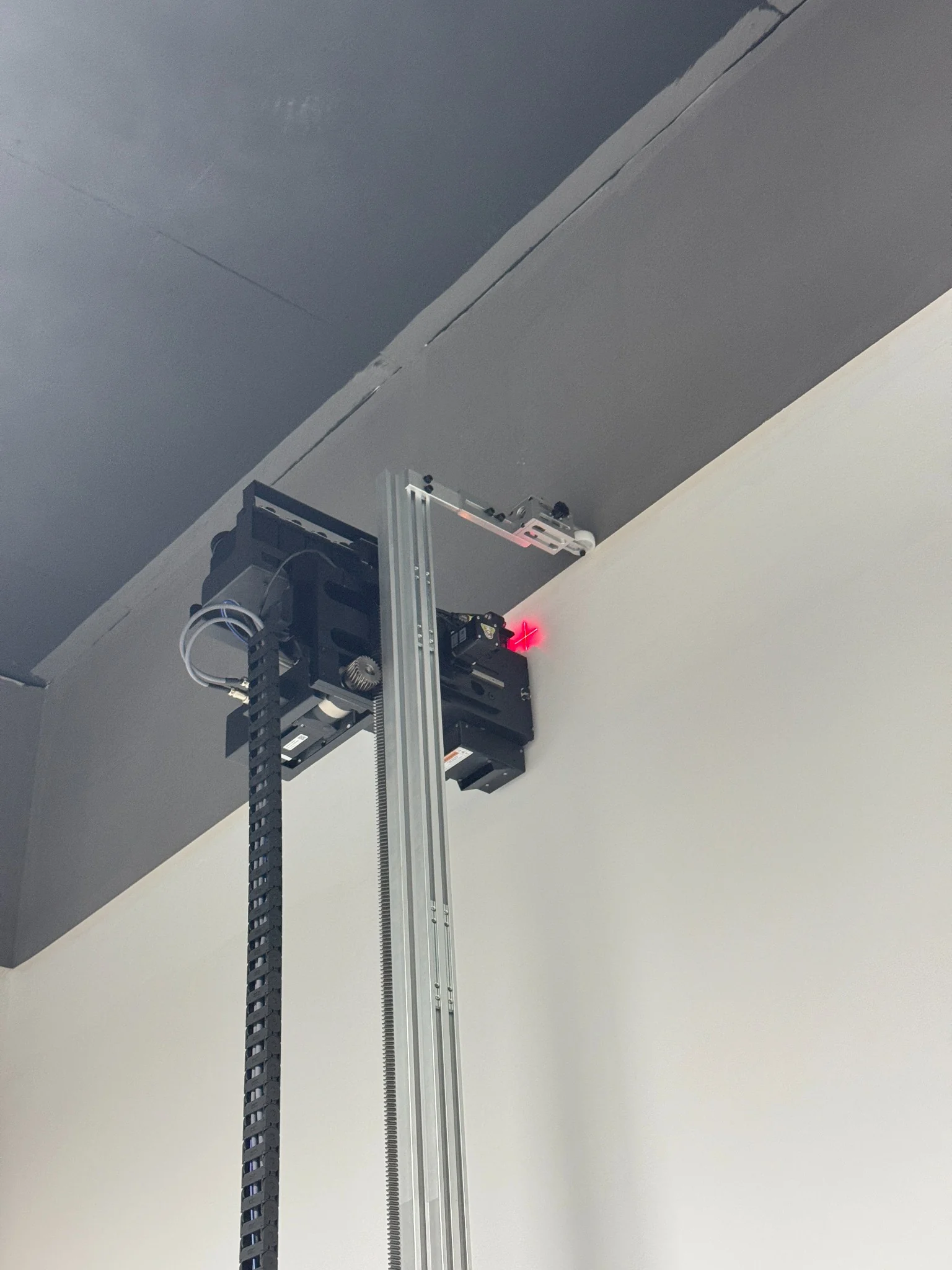
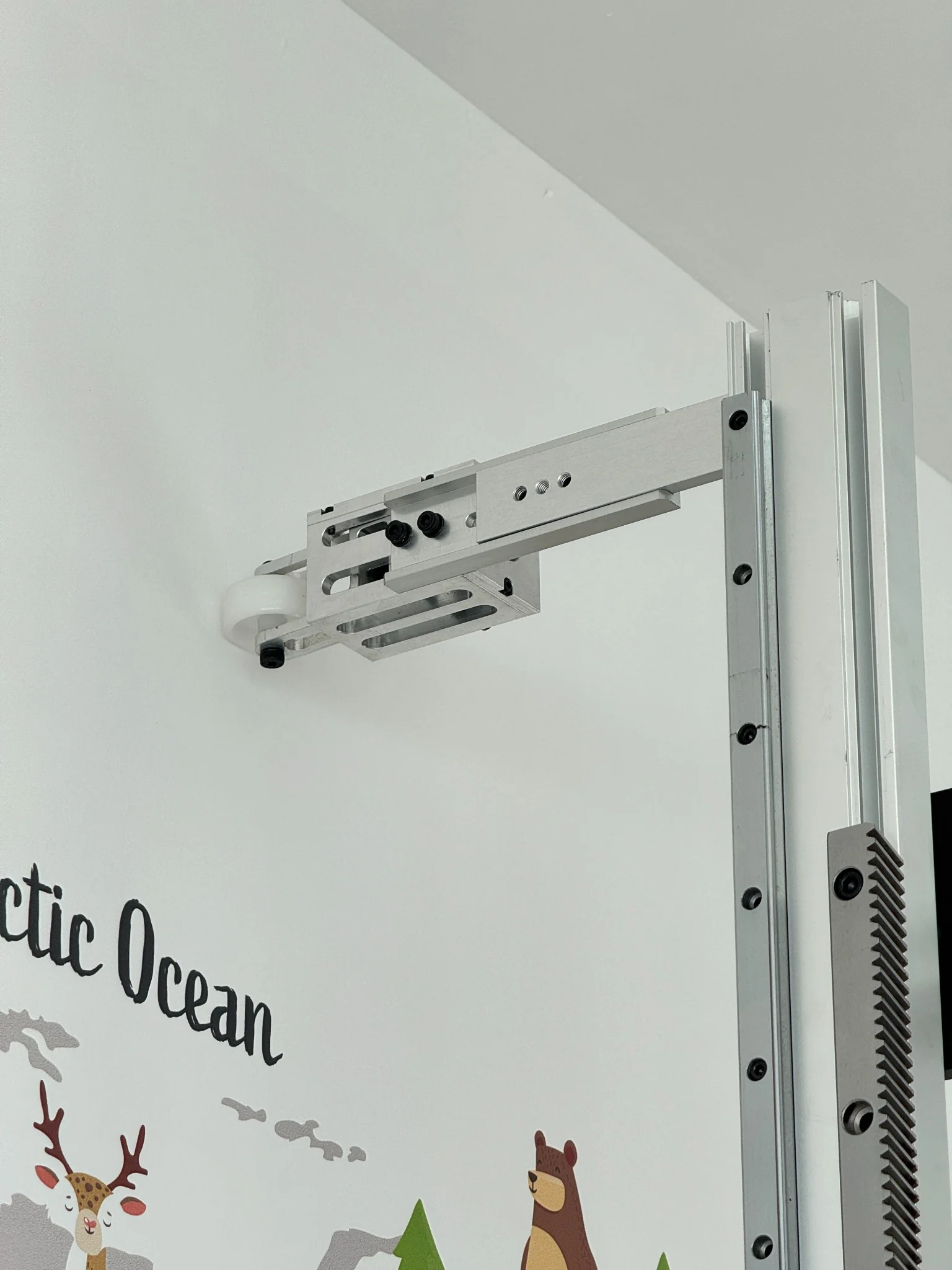
Its purpose is to improve stability, not to press hard against the wall. The operator still needs to assess wall flatness, safe roller contact, rail setup and whether the accessory suits that particular site. StabiArm availability and compatibility should be checked for the ordered machine.
Explore StabiArm engineering and installation photos → · Watch the StabiArm engineering podcast ↗
06 / Control and protection
Electronics that support predictable operation
Cabinet, touchscreen and separate power supplies
The computer and electrical cabinet are central to managing the printer's control software, print data and power distribution. The original VPJet4.0 guide specifies an integrated 13.3-inch touchscreen, 8 GB RAM, 256 GB SSD and USB 3.0 interface. This configuration was chosen to support print-data handling and an accessible operator interface.
Separate power supplies are assigned to major electrical loads, including UV lamp circuits and the printhead. Separating these functions helps manage interference and can add operational resilience: a fault in one lamp power supply need not automatically disable the other lamp. Components still require correct wiring, protection and maintenance.
Collision, drop and electrical protection
Before printing, operators set the highest allowed travel position. This software-defined limit helps prevent the carriage from exceeding the available rail height or colliding with surrounding structures. DXonJet also describes a passive protection mechanism that moderates printhead descent if electrical power is lost while the carriage is elevated.
Additional safeguards include short-circuit protection on the printhead control board. These measures improve fault tolerance but are not a substitute for correct assembly, appropriate worksite clearance, safe lifting and electrical procedures.
The VPJet4.0 also supports interruption-point recording for pause and resume workflows, designed to minimize visible joins when a print must be continued after a stop. Results will depend on the precise recovery conditions and correct re-registration.
07 / Printhead, ink and curing
Epson inkjet precision requires the right supporting system
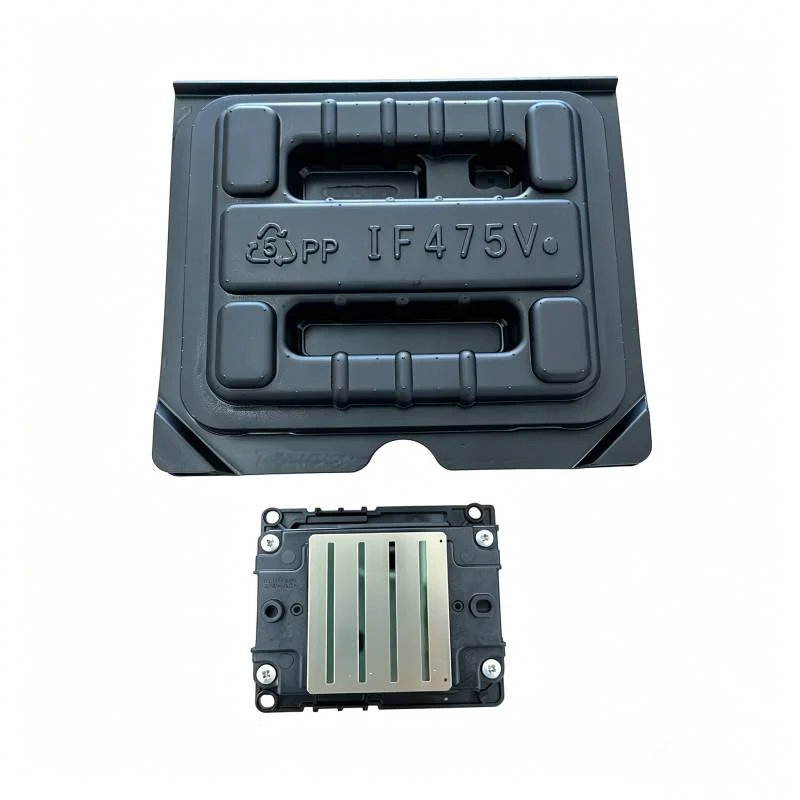
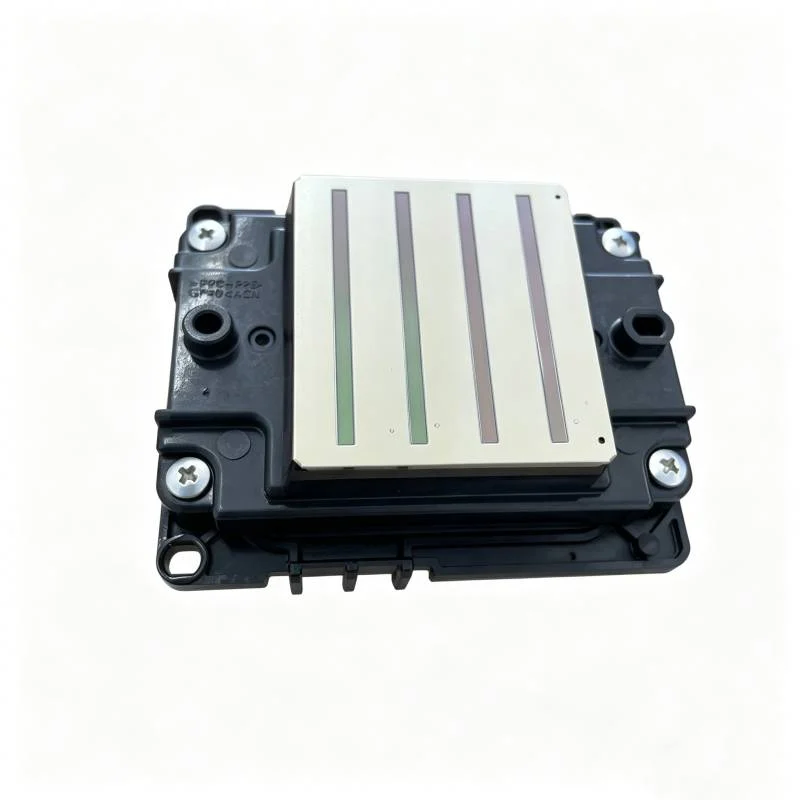
The printhead is one of the machine's most valuable and delicate components. The VPJet4.0 product range features Epson i3200 UV inkjet technology. Its performance depends on the interaction of the printhead, firmware waveforms, UV ink characteristics, carriage motion and RIP output.
Waveform tuning controls the electrical actuation of the printhead and influences droplet formation, placement and reliable jetting. It is not simply a question of using the largest advertised DPI number. ICC profiles, color separation, material behavior and proper calibration also affect perceived detail and tonal reproduction.
A low-profile, protected printhead carriage
DXonJet uses a low-profile printhead assembly to reduce clearance required near a ceiling. A fitted carrying case with protective lining is also used for moving the delicate assembly between locations. The printer's frame and nozzle-to-wall distance management must remain correctly aligned after transport.
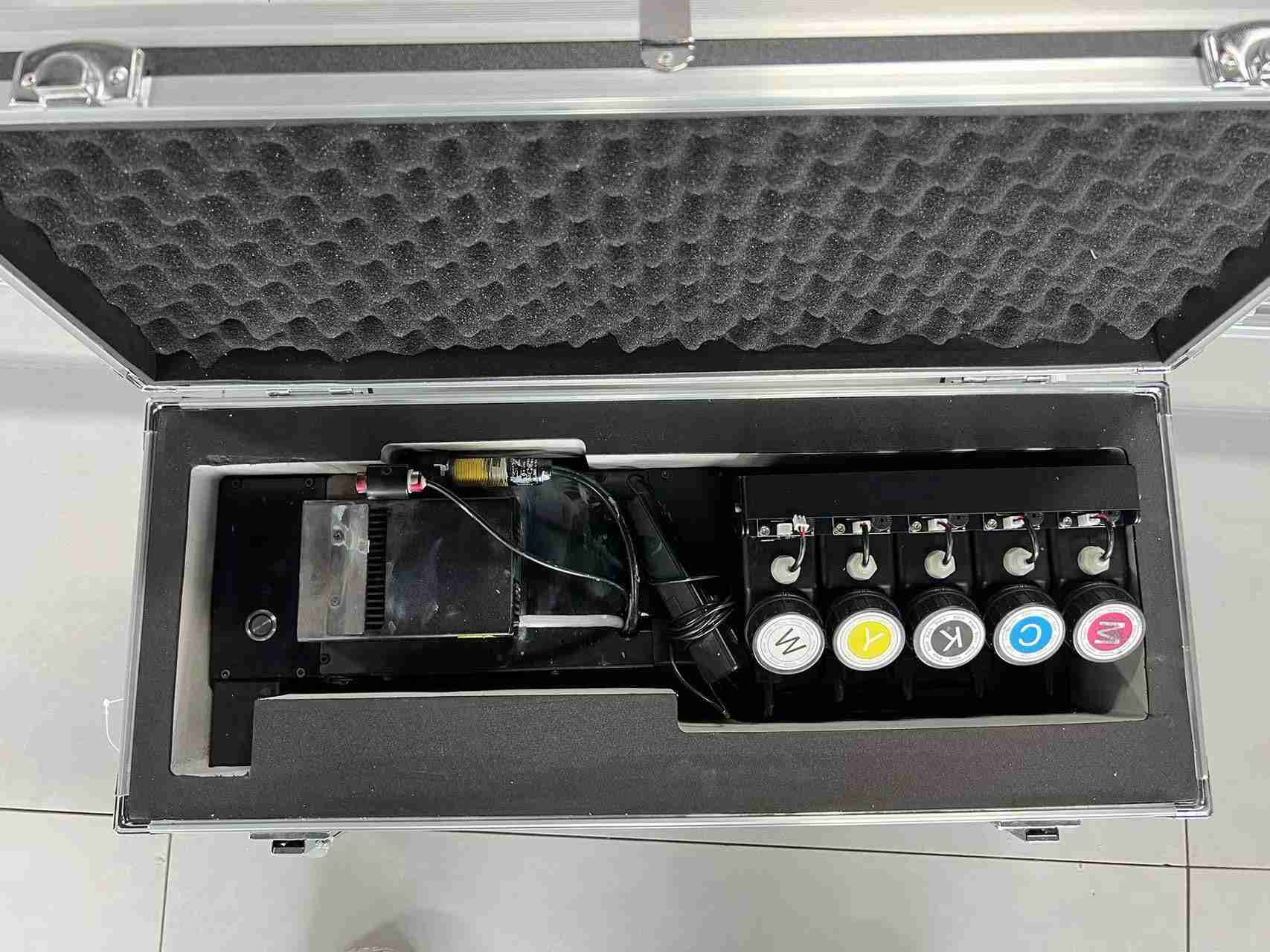
Ink supply, temperature management and UV curing
The VPJet4.0 engineering guide describes a five-cartridge system, with each container holding 260 mL. Low-level indicators alert the operator when ink needs replenishment. Under favorable image coverage conditions, the original guide cites up to 70 m² from a filled set; actual consumption varies substantially with artwork, pass settings, white-ink requirements and substrate.
DXonJet describes using Nazdar UV-curable inks and notes an ideal operating environment of approximately 20–35 °C for the specified ink system. A thermostatic heater supports the printhead's ink dampers, with an approximately 30 °C control target in the original guide. Always follow the current ink datasheet, local safety procedures and the machine's approved temperature settings.
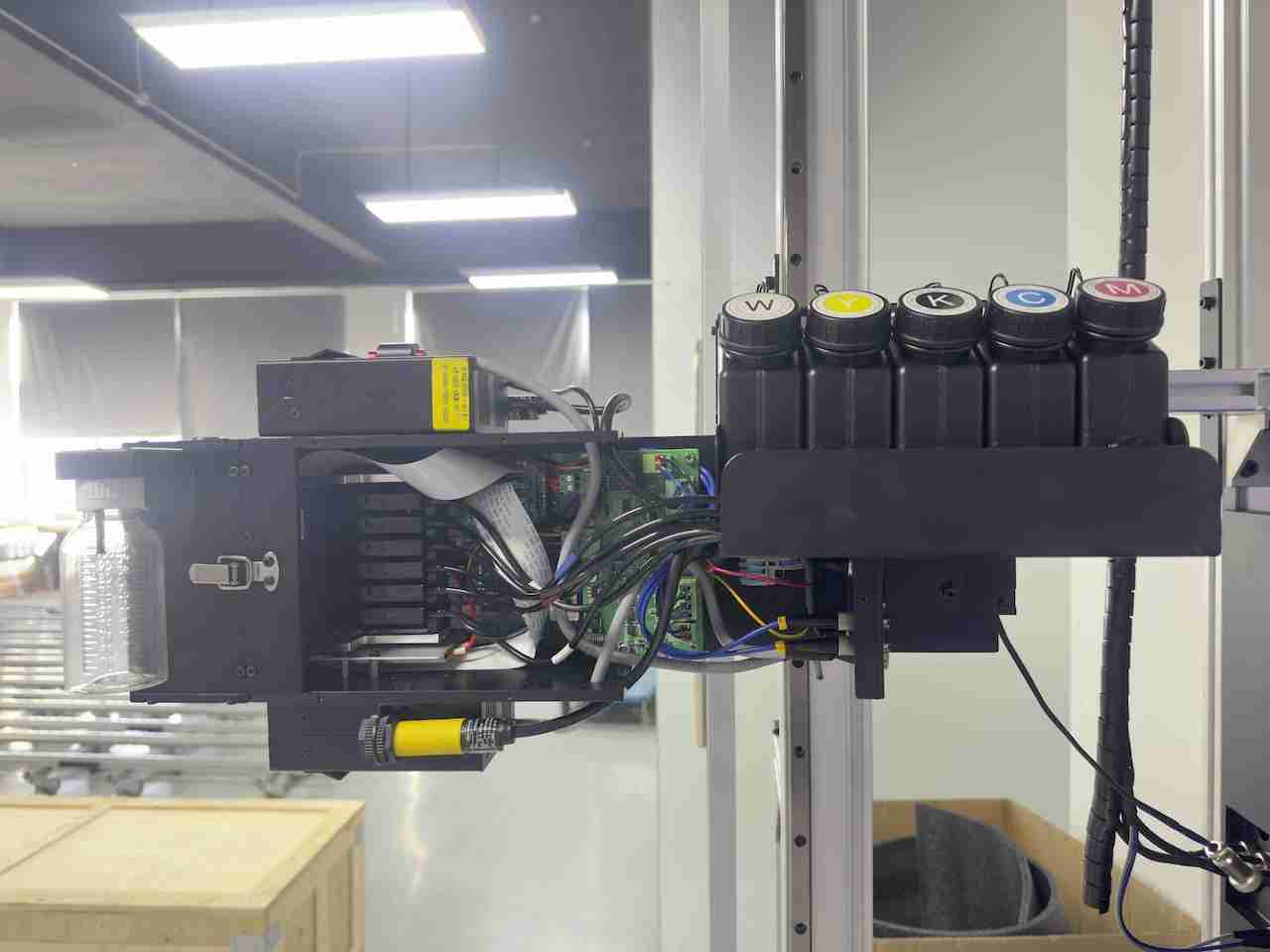
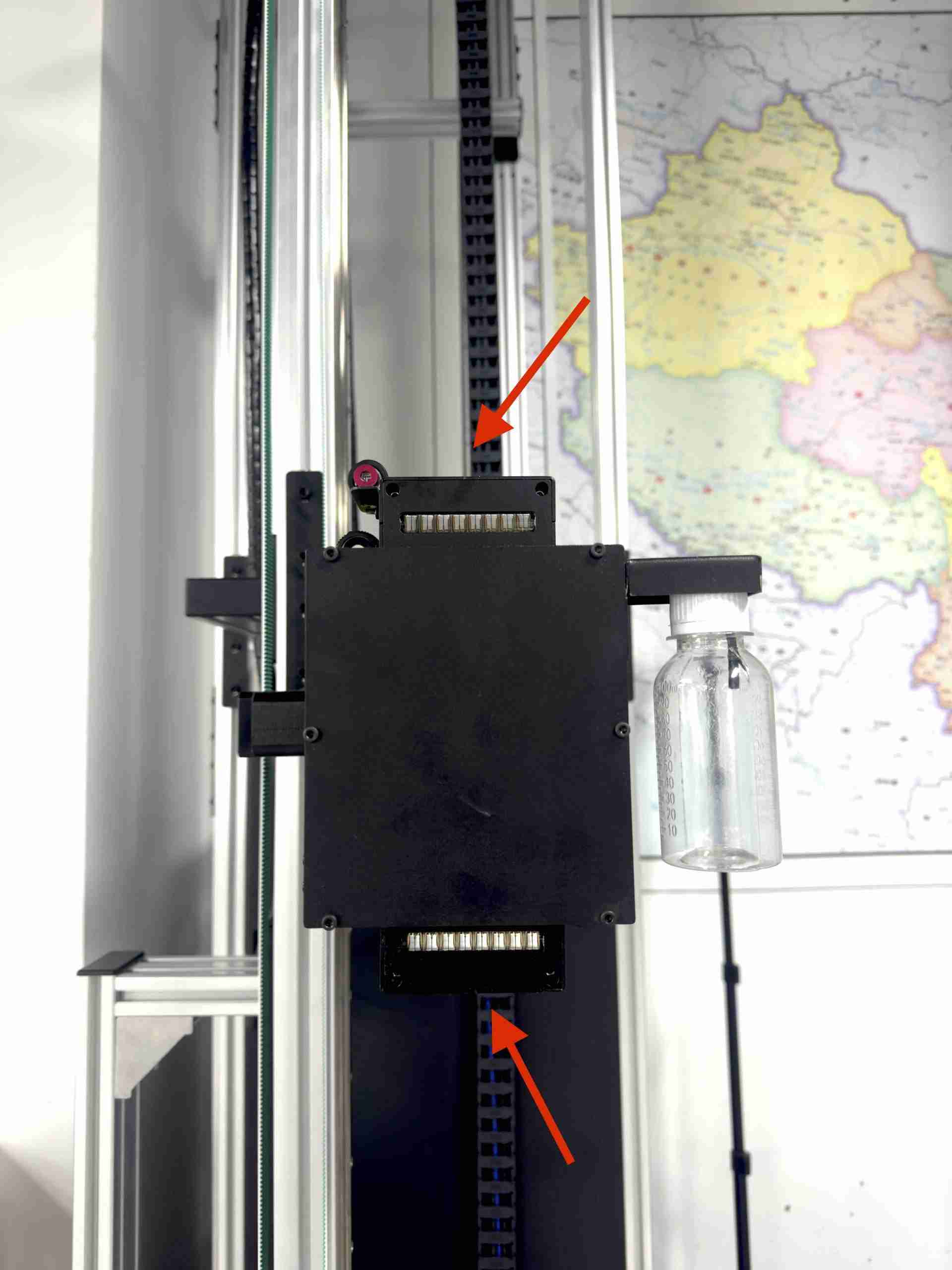
Two UV lamps help cure UV-reactive ink during printing. The control software provides modes for single-lamp operation, alternating dual-lamp operation and synchronized dual-lamp operation. The original technical specification states a service life of up to 20,000 hours per lamp under its stated conditions; actual replacement intervals depend on usage and lamp performance.
Ultrasonic distance sensing
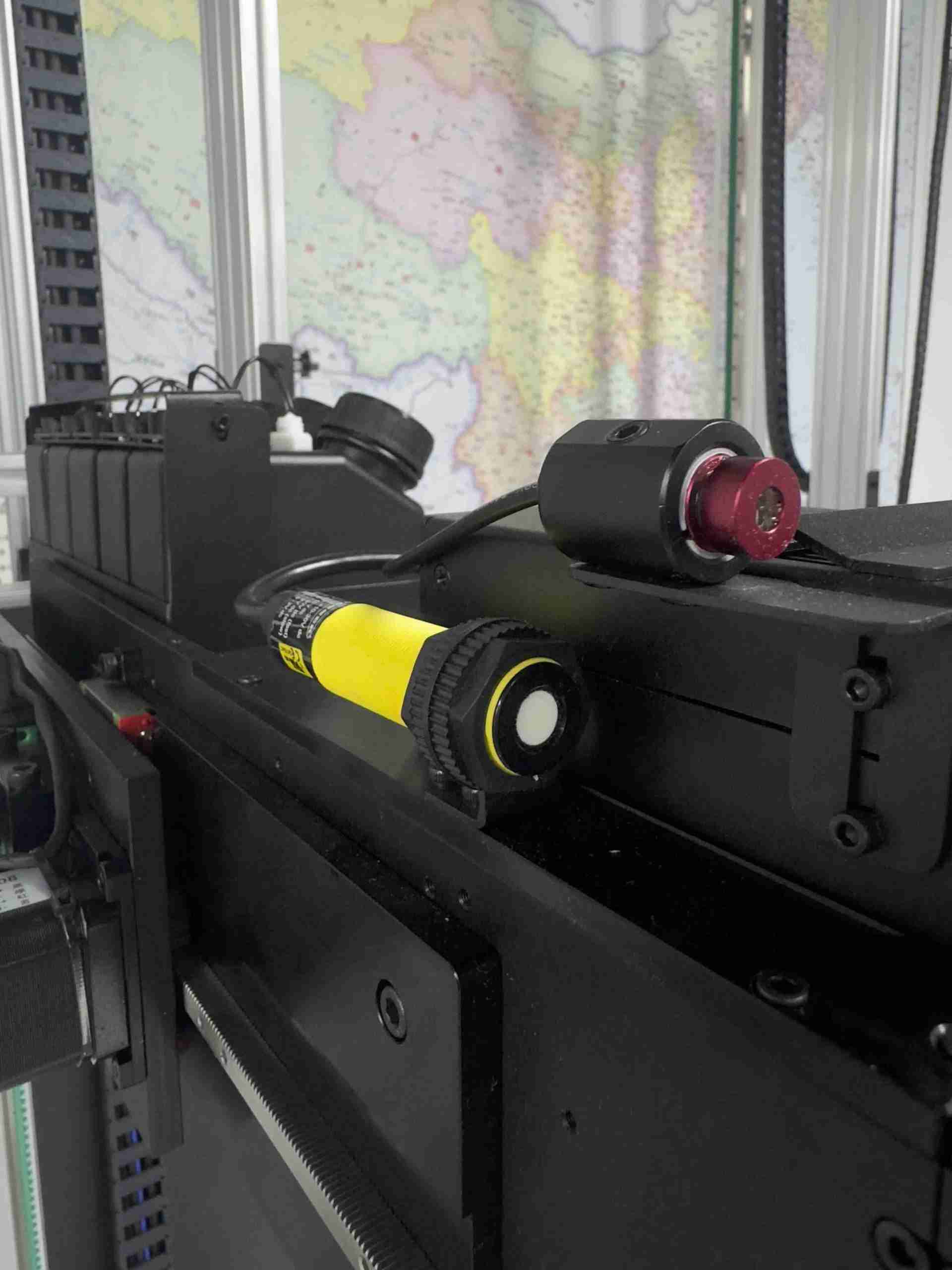
Two BANNER ultrasonic sensors measure changing wall distance and send positioning information to the machine control system. This helps the printer manage distance from a surface that is not perfectly flat. Ultrasonic sensing is not a guarantee that every very rough or irregular surface will print identically; the surface still needs to be suitable and prepared.

08 / Software and color workflow
DXonJet OS 2.0: practical control beyond a touchscreen
The machine's mechanics and inkjet system are coordinated through DXonJet OS 2.0. Its job is to make the print process more repeatable and to let operators recover from common interruptions without losing track of the job.
Calibration should be part of every setup
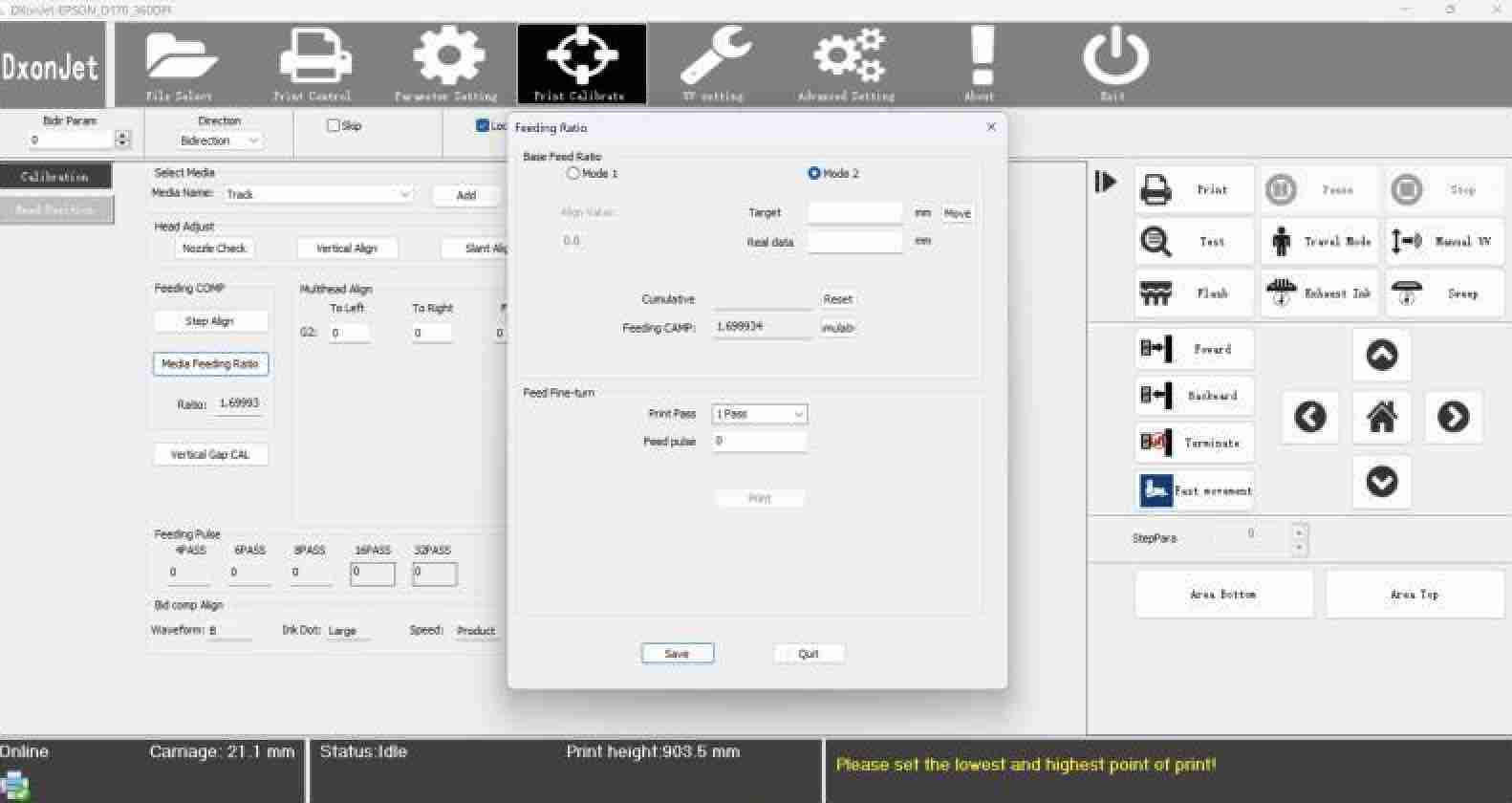
Every mobile wall printer is repeatedly dismantled, transported and assembled. Calibration helps address small positioning changes that otherwise show up as ghosting, banding, directional offsets or dimension errors. The original VPJet4.0 guide describes an approximately two-to-three-minute calibration procedure for ordinary setup, although time depends on the calibration task and machine condition.
Color management is part of the engineering process
Most customers start with digital RGB artwork, while the printer reproduces color through a controlled ink system with CMYK and white-ink capability. RIP settings, ICC profiles, printhead waveforms, ink and media all affect how the final image appears. No single color-management setting is suitable for every wall and surface.

For a more detailed overview, consult the DXonJet OS 2.0 feature guide and the dedicated RIP software page. Make sure the exact RIP version and printhead compatibility match the configuration in the quotation.
09 / Machine care
Reliability is built — and maintained
Consistent printing also depends on everyday maintenance. UV inkjet systems require attention to nozzle health, ink circulation, environmental temperature and dust. Operators should check nozzle behavior during long jobs, especially when output is unusually large or environmental conditions are challenging.
DXonJet provides manual maintenance workflows and a separate Auto Maintainer accessory intended to support periodic inkjet maintenance when a machine is unattended. The accessory runs an automated maintenance cycle at programmed intervals. Its exact interval and ink use should be confirmed against the installed accessory and latest technical instructions.
What a careful operator checks
- Before printing: check nozzle test results, calibration, frame alignment, wall distance and ink level.
- During long jobs: periodically check print passes for dropped nozzles, banding, drift or incomplete curing. Pause for cleaning if required.
- After the job: follow the supplied maintenance process and protect the carriage during transport.
- During storage: follow the prescribed maintenance cycle and recheck printhead condition before restarting.
Long continuous printing is possible under appropriate conditions; the original article reports more than 12 hours of continuous operation. Actual unattended operation, pass count and maintenance needs vary by ink, environment, image and printhead condition.
DXonJet also maintains a detailed guide to 35 common wall-printer problems and solutions, covering quality, calibration, ink and hardware issues.
10 / Real printing applications
From different surfaces to large-format murals
UV wall-printing technology can be used on many properly prepared surfaces, including painted walls, selected wood products, glass and other compatible substrates. However, surface cleanliness, flatness, coatings, primer compatibility and long-term adhesion need to be evaluated for each project. Complex materials should be sample-tested before a commercial job.
Judge the actual print, not just the specification
Print results should be assessed at the viewing distance that matters for the project, and close-up inspection can reveal problems that wide-angle photographs hide. Practical evaluation includes edge sharpness, gradation, solid-area consistency, registration, color fidelity and the quality of curing. For very tall prints, also assess carriage stability over the full print height.
Real-time wall mural printing demonstration · 10.8 m² · DXonJet official video
Video not loading in the player? Watch the 10.8 m² printing video on YouTube ↗
Browse more DXonJet demonstrations, customer projects and tutorials →
Special application: tactile relief printing
DXonJet has also published a guide to layered UV inkjet relief printing, which creates low-relief texture by depositing and curing multiple ink layers. These tactile applications require specific artwork preparation, settings and substrate evaluation; not every relief depth or end use is suitable for every setup.
Optional floor-printing expansion
With the VPXFP floor-printer accessory, the printhead and selected core components can be adapted for floor-printing work. The original engineering article describes a maximum floor-print width of 400 cm for this accessory. The actual working range and complete configuration should be verified against the current product specification.
For project planning, the DXonJet Wall Printing Toolkit includes mockup, image-quality, ROI and quotation tools. These estimates should be calibrated with your own ink use, time, labor and local job costs.
11 / Long-term ownership
Training, technical support and a global distributor network
Buyers should evaluate not only image quality but also how quickly a printer can be installed, serviced and returned to work. DXonJet describes technical training by video call or an on-site training program, plus remote engineer access for approved troubleshooting and software updates.
The company's current policy describes a 12-month standard warranty, with extended warranty options indicated on the main product page. Scope, exclusions and terms should be confirmed using the official warranty terms and the quotation. DXonJet also states that it provides technical support beyond the warranty period.
Its worldwide distributor network provides locally relevant commercial contacts in multiple markets, with examples including Poland, the United States, France and Türkiye. Availability of training, demonstrations, local stocking and onsite service differs by location; check the individual distributor's capabilities rather than assuming the same services everywhere.
Additional ownership resources: How-to video tutorials, troubleshooting knowledge, and distributor contact details.
12 / Frequently asked questions
What should you know before buying a DXonJet wall printer?
Does every DXonJet VPJet4.0 include a helical rack?
No. DXonJet's dedicated helical rack article identifies the system as an optional configuration for new purchases and an upgrade path for existing machines. Confirm your specific quotation.
What does StabiArm do?
StabiArm adds a spring-controlled rolling wall contact near the upper part of the vertical structure to help reduce unwanted movement during high-position printing. Its suitability depends on the wall and machine configuration.
How tall can the VPJet4.0 print?
The original VPJet4.0 engineering guide describes modular machine configurations from 140 to 400 cm, with nominal top and bottom margins of 25 and 36 cm respectively. Maximum printable image height depends on the actual rail combination, ceiling and floor clearance and job setup.
Can it print on glass, wood and rough walls?
Compatible UV inks can support multiple substrates, but adhesion and final appearance depend on preparation, coatings, substrate texture and curing. Test unfamiliar surfaces before committing to customer jobs.
How does printing resume after an interruption?
DXonJet's control system is designed to record interruption position and support continued printing. Seam visibility depends on calibration, unchanged machine alignment, ink and the specific conditions surrounding the stop.
Does the printer need maintenance during long breaks?
Yes. The Auto Maintainer accessory supports scheduled maintenance, but its setup, operating interval and limitations must be followed exactly as described in current manufacturer instructions.
Can the VPJet4.0 be used for floor printing?
With the compatible VPXFP conversion accessory and its required components, the platform can support floor-printing applications. Check current compatibility and quoted scope.
Is there technical support outside China?
DXonJet provides remote support and maintains contacts through an international distributor network. Local on-site service, training and parts inventory depend on the individual market and agreement.
Discuss your real application
Let's talk about the wall, the job and the right machine configuration.
Share your target print height, wall surface, image type, working environment and expected job volume. We can help you evaluate track options, printhead, StabiArm, helical rack and software features without relying on a one-line spec comparison.
Technical illustrations and product specifications are based on DXonJet's published material. Specific options, firmware functions and service commitments may change by production batch, territory and quotation.

 English
  Español
  Français
  Deutsch
  Italiano
  Nederlands
  Polski
  Русский
  Türkçe
  한국어
한국어  Română
  繁體中文
繁體中文  العربية
  हिन्दी
  日本語
日本語